The guide
How this place works
A makerspace with no building. The machines live in people's garages and studios across the Bay, and this is where you find out who has what, who knows how, and who's willing to help. Five minutes here and you'll know your way around.
The rooms
The shop floor on the front page is a map of these. Walk into any of them.
Your builds, your machines, and anyone asking to borrow one.
Your home base. Start a build here, and anything waiting on you shows up first.
LoungeEveryone you can reach in the shop, how you know each other, and the communities for your skills.
There are no follower counts anywhere. You can see how you're connected, not who's popular. Someone you can see but haven't met? Ask to connect.
Tool cribEvery machine people have listed, and how they're willing to share it.
Find a machine and ask to use it. The owner answers wherever they already talk: Instagram, a text, or an email.
Help boardStuck on something? Post it with the skills it needs.
It reaches the people who said they can do that thing, instead of shouting into a feed. A photo or a sketch of the problem helps.
ClassroomClasses and events, taught and hosted by whoever wants to.
Learning something? It shows you the classes for it, or who teaches it. Teaching? It shows you what people want to learn. Anywhere counts as a venue, a garage included.
The mapMember spaces you need a membership for, general spaces anyone can walk into or buy from, and venues, pinned on the Bay.
Vouch for the places you actually use. A place with real vouches means something.
StockroomWhere to buy materials, grants, the free shelf, and the junk bin.
Leftovers you'd otherwise throw out are often exactly what someone else needs.
The signThe shop rules. Two minutes, and worth it.
Short on purpose. They're how a shop with no building stays a good one.
How it works
Everyone came in on someone's word.
The shop is invite-only. Whoever vouched for you is named on your profile, and whoever you bring in is named on theirs.
Your badge is how you meet people.
It's always in the top corner, and it carries your link. Someone new joins with you as their voucher. Someone already here lands in your circle, and you in theirs.
You only see your circle.
Nobody outside your circle can find you unless you let them: friends of your friends, or the people in your skills' communities. New members start with friends of friends on, since it's how the shop grows, and it's one click to narrow in settings.
Can see someone, but haven't met? Ask.
On their profile, or in the lounge, tap "ask to connect". They'll see it on their workbench. If they say yes, you're in each other's circles, the same as scanning each other's badges.
Every skill has a community.
Everyone who shares a skill, in one place: who they are, what's on in that craft, and a board where each person can pin one note. No threads, no likes. To answer a note, you reach the person. It's opt-in and goes both ways: tick the box under who can find you, in settings, and you see everyone else who did.
Reach people where they already talk.
There's no chat here, on purpose. Every reach-out button opens whatever you pick: Instagram, a text, or an email.
Learning something? Say so.
Mark a skill "I'm learning this" in settings and the classroom shows you the classes for it, or who teaches it when there aren't any. The shop bell tells you when a new one turns up.
Anyone can teach.
Mark a skill "I can teach this", then host a class from the classroom. It shows you what the people you can reach want to learn, so you know there's a room for it.
Builds are how things get made.
Start one from your workbench and say what it needs: a skill, a machine, a pair of hands. Anyone who could help puts a hand up on a need and reaches the organizer wherever the organizer talks, since there's no chat here. The organizer puts them on the crew, and into their circle, and can add people from their own circle straight on; anyone added can leave. The crew keeps the build's journal, which stays theirs, and each of you can show up to three builds on your profile.
Show, don't just tell.
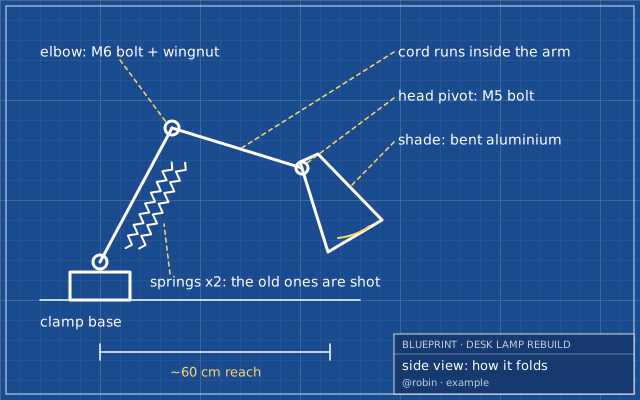
Every build has room for blueprints. Sketches, diagrams and reference pictures that show what you're making, so someone new can see what you mean. Not a showcase: rough is good. Draw one on the blue grid, or upload a photo of one on paper.
Something confusing? Tell us.
The pink feedback button in the corner of every page goes straight to the people running the shop. Half-formed thoughts are welcome.
The rules
Short on purpose. The full version is on the sign.
- Leave it better than you found it.
- A vouch is a promise.
- Safety is the owner's call.
- Ask loudly, offer quietly.
- Teach one thing.
- No clout in the shop.
- Builds belong to their crews.
- Money stays outside.
- Addresses travel person to person.
- Contribute, don't just consume.
- Problems go to a human.
The shop is invite-only, so you'll need a link from someone already in.
I have a link →